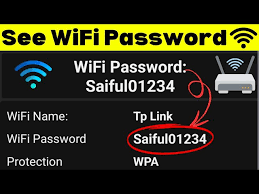
 by
by YouTube Thumbnail: The Ultimate Guide to Creating High-Click Thumbnails in 2026
In the competitive world of YouTube, creating great video content is only half the battle. The other half is convincing viewers to click your video—and that decision is made in seconds. This is where the YouTube thumbnail plays a crucial role. A compelling thumbnail can dramatically increase your click-through rate (CTR), views, and overall channel growth.
In this complete guide, you’ll learn what YouTube thumbnails are, why they matter, best practices, design tips, tools, mistakes to avoid, and how to create thumbnails that drive clicks in
………………………………. CLICK HERE……………………………………
What Is a YouTube Thumbnail?
A YouTube thumbnail is a small preview image that represents your video. It appears in search results, suggested videos, playlists, and on the YouTube homepage. Thumbnails act like visual headlines—they tell viewers what your video is about and persuade them to click.
YouTube allows creators to upload custom thumbnails, which perform significantly better than auto-generated ones.
Why YouTube Thumbnails Are Important
Thumbnails directly impact your video’s success. Here’s why they matter:
- Increase Click-Through Rate (CTR)
- Boost video views
- Improve audience engagement
- Support YouTube SEO
- Build brand identity
- Help videos stand out in crowded feeds
Even the best video may fail if the thumbnail is boring or unclear.
How YouTube Thumbnails Affect SEO
While thumbnails are not a direct ranking factor, they strongly influence user behavior, which affects SEO. A higher CTR tells YouTube that your video is relevant and engaging, increasing the chances of it being recommended.
Key SEO benefits of good thumbnails:
- Higher CTR
- Longer watch time
- Better audience retention
- Improved discoverability
YouTube’s algorithm favors videos that attract and keep viewers.
YouTube Thumbnail Size and Specifications
Before designing a thumbnail, it’s important to follow YouTube’s technical guidelines:
- Recommended size: 1280 × 720 pixels
- Minimum width: 640 pixels
- Aspect ratio: 16:9
- File formats: JPG, PNG, GIF
- Maximum file size: 2MB
Using the correct size ensures your thumbnail looks sharp on all devices.
Elements of a High-Performing YouTube Thumbnail
1. Eye-Catching Visuals
Use high-quality images, expressive faces, or strong emotions to grab attention.
2. Bold and Readable Text
Add 2–5 powerful words that are easy to read on mobile screens.
3. Strong Contrast
Bright colors and contrast help your thumbnail stand out from others.
4. Clear Message
Your thumbnail should instantly communicate the video’s main idea.
5. Consistent Branding
Using similar colors, fonts, or layouts builds brand recognition.
Best Practices for YouTube Thumbnail Design
Use Faces and Emotions
Thumbnails with faces showing emotions like surprise, excitement, or curiosity often perform better.
Keep It Simple
Avoid clutter. Too many elements can confuse viewers.
Use Large Fonts
Small text is hard to read on smartphones.
Match Thumbnail with Title
Your thumbnail and title should work together, not repeat each other.
Optimize for Mobile
Most YouTube views come from mobile devices, so design accordingly.
Common YouTube Thumbnail Mistakes to Avoid
- Using blurry or low-quality images
- Adding too much text
- Misleading thumbnails (clickbait)
- Poor color contrast
- Inconsistent style
- Using auto-generated thumbnails
Misleading thumbnails may increase clicks initially but harm watch time and trust.
Tools to Create YouTube Thumbnails
You don’t need advanced design skills to create professional thumbnails. Popular tools include:
Canva
Beginner-friendly with ready-made YouTube thumbnail templates.
Adobe Photoshop
Best for advanced and professional designs.
Adobe Express
Quick and simple thumbnail creation.
Figma
Great for collaborative and custom designs.
Mobile Apps
Apps like PicsArt and PixelLab are useful for creators on the go.
How to Create a YouTube Thumbnail Step by Step
- Choose the right thumbnail size (1280 × 720)
- Select a high-quality image
- Add bold, readable text
- Apply contrast and colors
- Keep the design simple
- Export in JPG or PNG format
- Upload during video publishing
Testing and improving thumbnails over time is key to growth.
YouTube Thumbnail Ideas for Different Niches
Tech Channels
- Product close-ups
- Reaction faces
- Before-and-after visuals
Education Channels
- Big keywords
- Clean layouts
- Icons and diagrams
Gaming Channels
- Action shots
- Dramatic expressions
- Bright colors
Vlogging Channels
- Natural emotions
- Lifestyle visuals
- Story-based images
Finance & Business Channels
- Numbers and stats
- Minimal text
- Professional colors
A/B Testing YouTube Thumbnails
Many creators use A/B testing to find the best thumbnail. By changing thumbnails after publishing, you can analyze which version gets more clicks.
Benefits of A/B testing:
- Higher CTR
- Data-driven decisions
- Better long-term growth
Testing thumbnails is one of the most effective YouTube growth strategies.
YouTube Thumbnail and Branding Strategy
Consistent thumbnails help viewers recognize your content instantly. Branding includes:
- Same font style
- Consistent color palette
- Logo placement (optional)
- Similar layout structure
Strong branding builds trust and improves subscriber loyalty.
Are YouTube Thumbnails Clickbait?
Clickbait is when a thumbnail promises something the video doesn’t deliver. Ethical thumbnails create curiosity without misleading viewers.
Good thumbnails:
- Spark interest
- Reflect video content
- Build long-term trust
Bad thumbnails:
- Overpromise
- Mislead
- Reduce audience retention
YouTube may reduce reach for misleading content.
SEO Keywords for YouTube Thumbnails
- YouTube thumbnail
- YouTube thumbnail size
- YouTube thumbnail design
- Best YouTube thumbnails
- How to make YouTube thumbnails
- YouTube thumbnail ideas
- Custom YouTube thumbnail
Using these keywords naturally helps improve search rankings.
FAQs About YouTube Thumbnails
Can I change my YouTube thumbnail after uploading?
Yes, you can update thumbnails anytime without affecting the video.
Do thumbnails affect video ranking?
Indirectly, yes. Higher CTR improves performance signals.
How much text should a thumbnail have?
Ideally, 2–5 words for maximum readability.
Are custom thumbnails necessary?
Yes, custom thumbnails significantly outperform auto-generated ones.
Should thumbnails match video titles?
They should complement each other, not duplicate.
Conclusion
A YouTube thumbnail is one of the most powerful tools for increasing video clicks and channel growth. In 2026, with rising competition on YouTube, creating high-quality, optimized thumbnails is no longer optional—it’s essential.
By using strong visuals, readable text, consistent branding, and ethical design practices, you can significantly improve your click-through rate and overall performance. Combine great thumbnails with valuable content, and success on YouTube becomes much more achievable.